
With HAND IN HAND starting to resemble an actual city builder, I realized it was time to spend a little more effort on something I'd mostly been throwing together as I went.
The user interface.
Up until now, a lot of my attention had been on getting the simulation working. Roads, buildings, zoning, utilities, traffic, population, and all the different things that make a city function.
But as I started testing with other players, something became pretty obvious.
Just because I understood how everything worked didn't mean anyone else did.
And if this was going to be a cooperative game, people needed a way to understand what was happening without constantly asking me to explain it.
First, We Need a Lobby
Since the original idea behind HAND IN HAND was to build a city cooperatively, I needed a way for players to connect to each other.
I decided to call each playable map a Region.
The idea was that multiple players would join the same region and work together to develop the city.
For the first version of multiplayer, I went with a fairly straightforward hosting system.
One player could host a game on their own computer, give their IP address to their friends, and have everyone connect directly to that host.
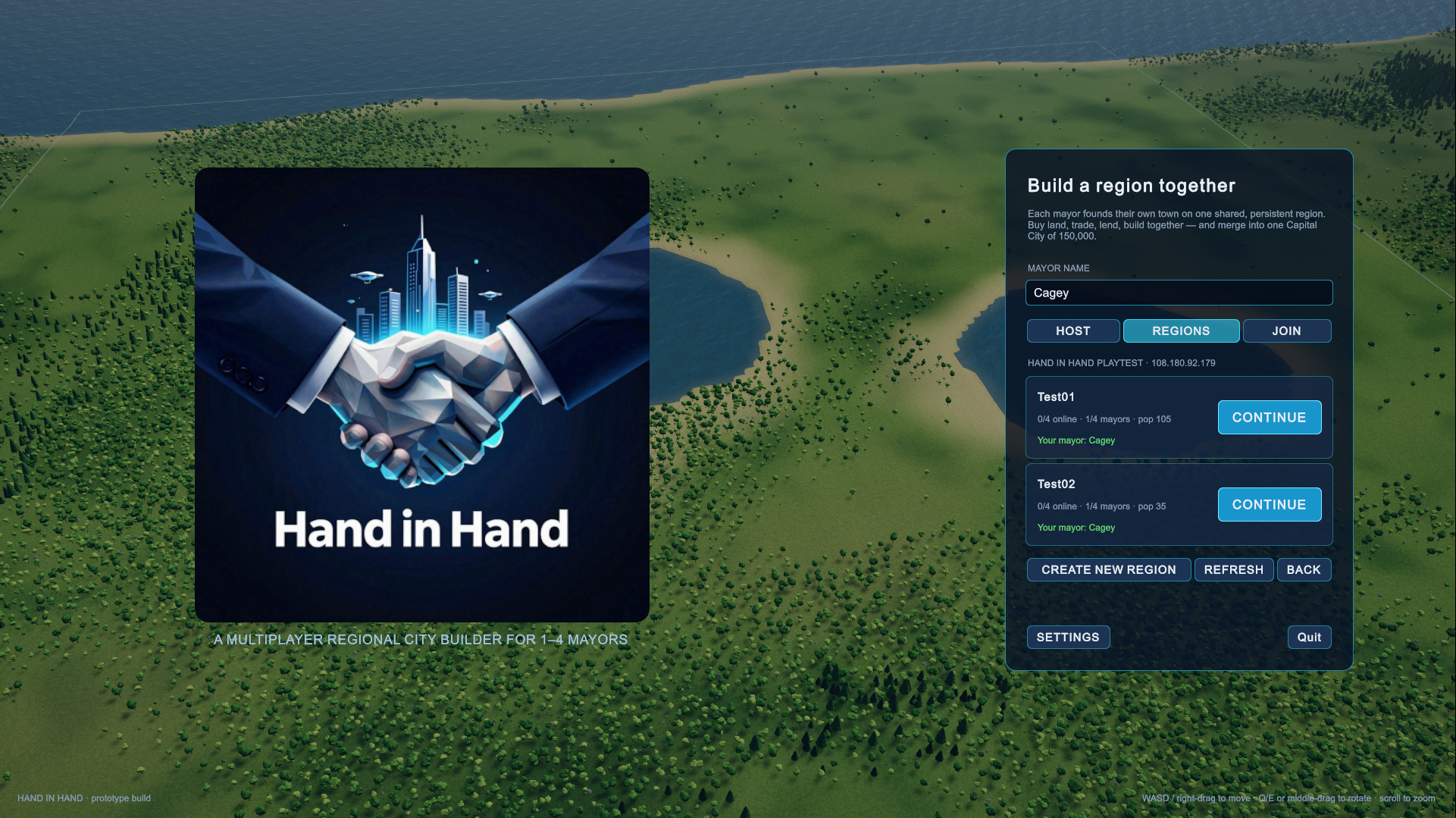
So I built a simple lobby with options to host or join a game, enter your mayor name, and select the region you wanted to play in.
It wasn't particularly fancy, but it gave us a starting point.
Of course, there's a pretty obvious drawback to this approach.
The host has to be online for anyone else to play.
If Kevin and I want to work on our city, we both have to arrange to be online at the same time, and whoever is hosting needs to have the game running.
That's not necessarily ideal for a game where you might want to jump in for a while, build a few roads, and come back later.
I'm not entirely sure this is going to be the best long-term approach, but it's what we're working with for now.
We'll see how it holds up as we do more multiplayer testing.
What Does a Mayor Need to Know?
The next challenge was figuring out what information should always be visible while you're playing.
I started by making a short list of the things I found myself constantly checking.
That became the top information bar.
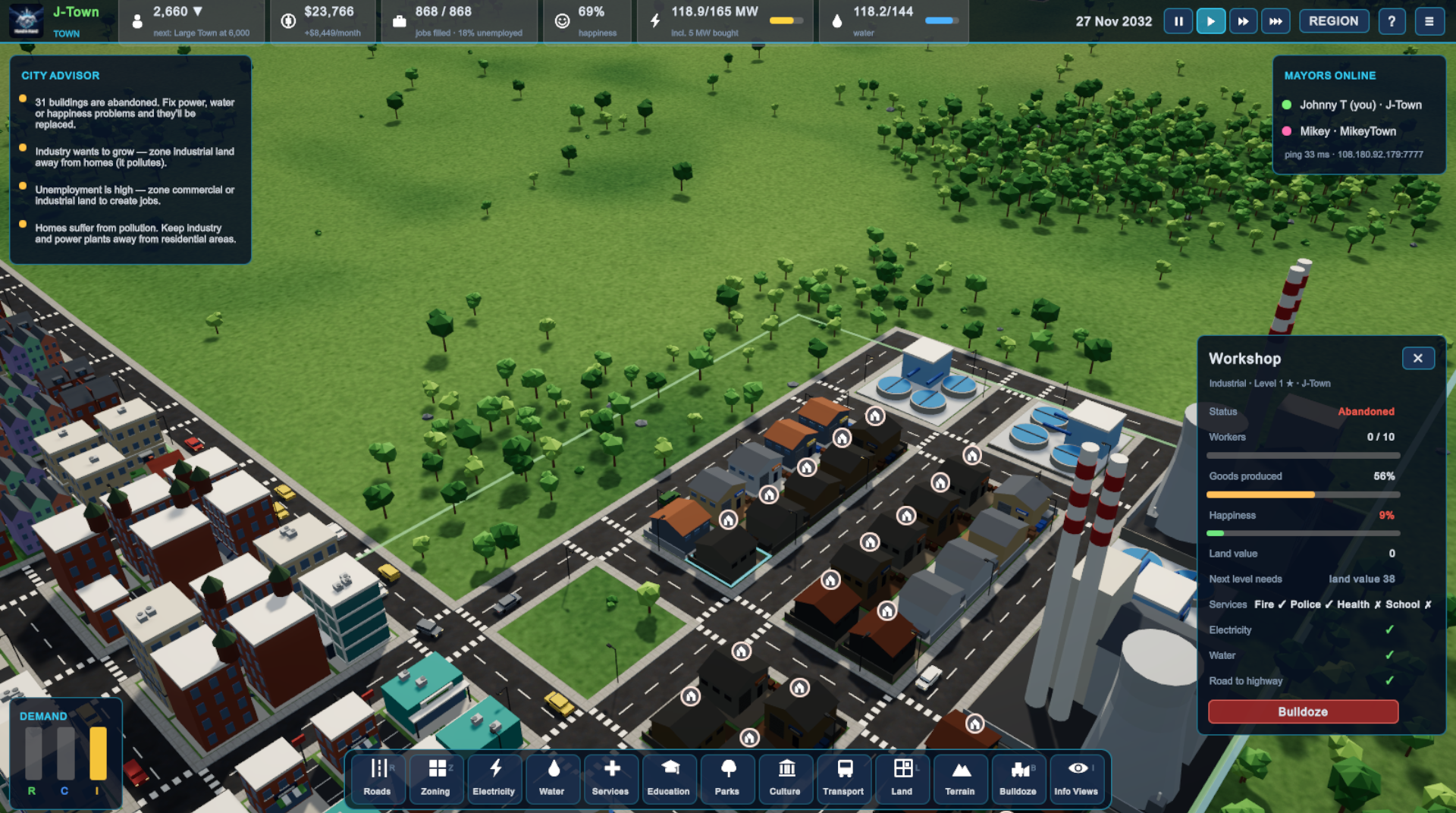
First was the town name and population, along with a little indicator showing whether the population was currently increasing or decreasing.
Then came the city's finances. How much money do we have? Are we making money or losing it?
I also wanted employment information.
Since commercial and industrial development creates jobs, the game already had a way of calculating how many positions were available based on what had actually been built.
So I added the number of jobs filled, total available jobs, and the unemployment percentage.
Next was overall city happiness.
Then electricity and water.
For power, I wanted to see how many megawatts the city's power plants were producing compared with how much electricity the city was using.
Water would work the same way, displaying available supply and current demand.
I added little visual bars to make it easier to see when we were getting close to running out of either utility.
Finally, I added the game-speed controls so players could pause, play, or speed things up.
After experimenting with the simulation speed, I settled on 10 seconds of real time representing one in-game day.
That seemed to give the city enough time to develop without making players sit around forever waiting for something to happen.
It was a lot of information to squeeze into the top of the screen, but having it all visible made managing the city much easier.
The Problem With Looking at a Building
Something else came up once I started inviting friends into the game to test things.
They'd click around their cities and ask questions like:
"Why isn't this building upgrading?"
"How do I know if this area has enough services?"
"What's the happiness of this particular building?"
These were things I hadn't really considered when I was developing the game by myself.
I knew what the systems were checking because I'd written them.
But players couldn't see any of that information.
And that's a problem when you're asking them to make decisions based on those systems.
So I decided to add a little information window that would appear when you clicked on a zoned building.
Giving Buildings Their Own Information Panel
The first version of the zone information panel was fairly simple, but it quickly became one of the most useful parts of the interface.
Click on a residential, commercial, or industrial building, and you could see information about that individual property.
Things like its current development level, status, and happiness.
For commercial and industrial buildings, I could also display information about workers and goods production.
I included land value as well, which at this stage is largely tied to happiness.
But perhaps the most important part was showing the conditions that determined whether the property could advance to the next level.
Did it have electricity?
Did it have water?
Was it covered by fire and police services?
Did it have access to education and other necessary facilities?
Instead of leaving players to guess, the panel could show them which conditions were being met and which ones still needed attention.
That meant someone could look at a struggling property and actually understand what needed to change.
Maybe the neighbourhood needed a school.
Maybe it was outside the fire station's coverage area.
Or maybe there simply wasn't enough infrastructure to support further development.
It made the simulation a lot easier to understand.
One More Connection — The Outside World
While working on all of this, I also started thinking about something that hadn't really been accounted for in the early city simulation.
How do goods get in and out of the city?
We already had roads carrying electricity and water, but commercial and industrial development needed a connection to the outside world too.
I didn't necessarily want to simulate every individual shipment or delivery vehicle.
Instead, I decided to treat access to the outside world as another infrastructure requirement.
That led to the highway connection system.
When starting a new town, players would select an area along the outside of the map, establishing a connection to the external highway network.
From there, the town's roads could connect back to that highway, allowing goods and services to move between the town and the outside world.
Just like electricity and water, highway access became something the game could check.
And naturally, I added that information to the building panel too.
Now, if a commercial or industrial property wasn't developing properly, players could see whether it had the road connection it needed to trade outside the town.
Another little piece of the simulation was starting to fit together.
Making the Game Easier to Play
None of these interface additions were particularly glamorous.
A few information bars, some buttons, a lobby, and a window that tells you what's going on with a building.
But they've made a pretty big difference to how the game feels.
When I'm playing by myself, I can usually figure out what's happening because I know how everything is supposed to work.
When someone else joins the game, that's a completely different story.
They need the game to explain itself.
And that's what I'm trying to accomplish with these early interface changes.
I want players to spend their time building and improving their cities, not wondering why nothing is happening.
There's still plenty of work to do on the menus and the overall presentation, but I think we're heading in the right direction.
A city can have all the simulation systems in the world, but if nobody understands what's happening, it isn't going to be much fun to play.
And since the whole reason I started HAND IN HAND was to play a city builder with my friends, making it understandable to those friends seems like a pretty important feature.